Back up and restore your browser notes
Local notes are private by architecture — and mortal by architecture. A backup is the difference.
Typehall stores your notes only in this browser, on this device. That is the whole privacy story — and the whole risk story. Clearing site data, resetting or uninstalling the browser, or losing the device removes notes that exist nowhere else. There is no server copy to pull back, no recycle bin in a cloud, no support desk that can recover them. The backup tools below exist because of that fact, and using them is the single most important habit in this guide.
What can actually delete your notes
- Clearing browsing/site data, cookies, or local storage in browser settings.
- Uninstalling or resetting the browser (or a phone restore that drops app data).
- Aggressive "cleaner" utilities that wipe site storage.
- Storage quota eviction under heavy disk pressure — rare, but browsers may reclaim space.
- Losing or replacing the device itself.
None of these are recoverable from inside Typehall afterwards. If that sentence makes you uncomfortable, good — download a backup now and come back.
Single-note export: the quick copy
For one note you care about, open its Note actions menu and download it: .txt for universal plain text, .md for Markdown notes, .html for a formatted standalone file, or Print / save-PDF for paper and archives. Exported files are yours to keep anywhere — a documents folder, a USB stick, your own cloud drive. Typehall never uploads them for you; where the copy lives is your decision.
Whole-workspace backup: the real safety net
Open Backup from the sidebar or Settings & storage, then choose Backups & restore and Download backup (.json). One JSON file captures everything durable: notes with their content, titles, modes, folders, tags, pin/star/archive/trash state and timestamps, folders, version history, sort order, saved filters, the scratchpad, tombstones, theme, and which note was open. The dialog says it plainly: nothing is uploaded anywhere.
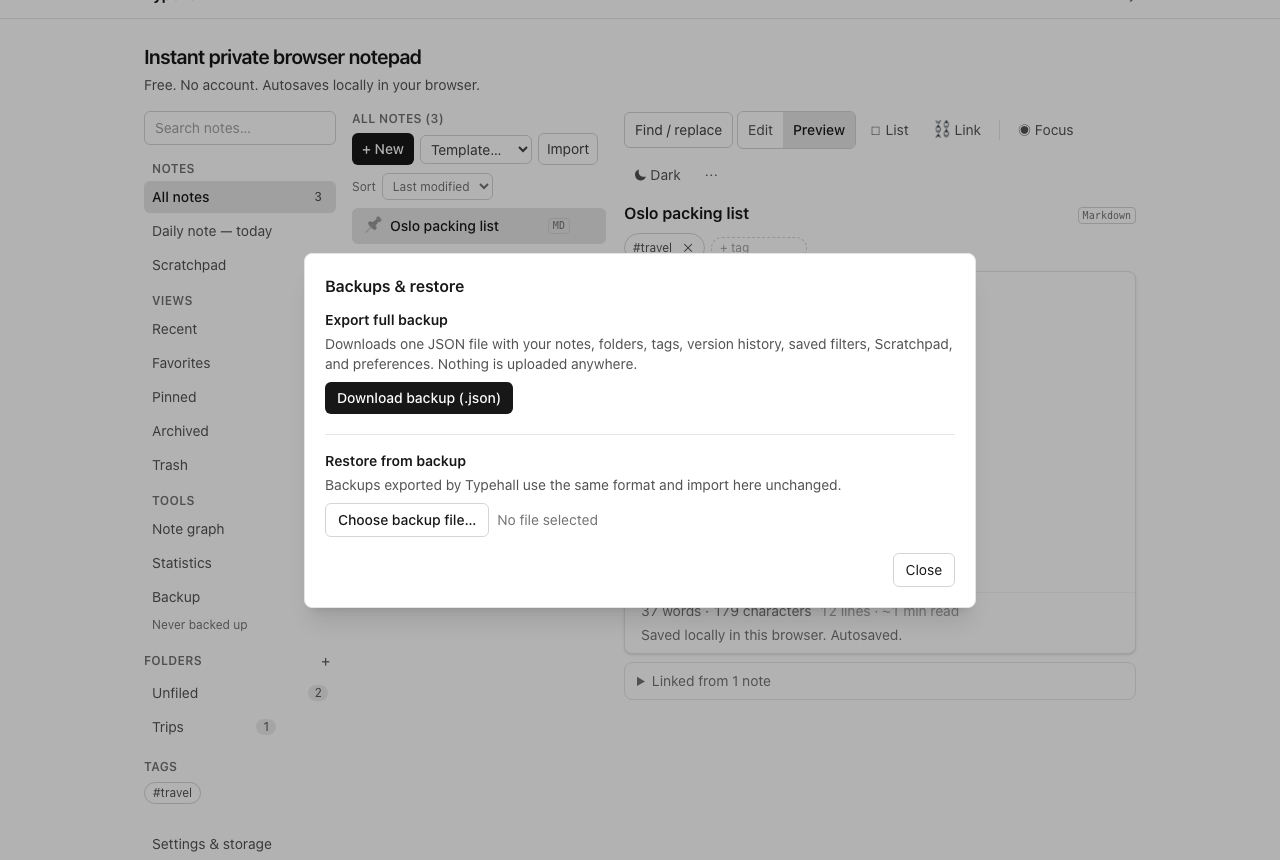
Name the file with the date (typehall-backup-2026-10-14.json beats backup (3).json) and store it somewhere that is not the same browser profile — otherwise a profile wipe takes your backup with it. A weekly rhythm is enough for most people; daily if you write for a living.
Restore: merge vs replace
Choose the backup file in the same dialog. Typehall validates it before writing anything, so a damaged file cannot silently wipe your notes. Then pick your semantics: merge keeps your current notes and folds in anything newer from the backup (newer-wins per note, never deletes); replace swaps the whole workspace for the backup's contents in one atomic write. Merge is for combining; replace is for disaster recovery. Restoring also resets the "last backup" indicator — a restore is not a backup, so download a fresh copy after any big recovery.
Version history is not a backup
Typehall keeps local snapshots of each note (throttled to about one per ten minutes, capped at thirty per note) so you can recover an earlier draft after a bad edit. That is loss protection, not a backup: history lives in the same browser database as the notes, so anything that wipes notes wipes history too. Snapshots protect against your own edits; only exported files protect against everything else.
Recovery expectations, honestly
- Bad edit, notes intact → restore the earlier snapshot from note history.
- Deleted note, trash intact → restore it from Trash.
- Browser data wiped, backup file exists → replace-restore from the file; you lose only what changed since that backup.
- Browser data wiped, no backup anywhere → nothing can be recovered, by you or by anyone. This is the case the weekly habit prevents.
Open the notepad and download your first backup today — it takes less time than reading this page.