Markdown notepad with a safe private preview
Plain-text Markdown editing and preview on demand. Notes are stored locally in your browser.
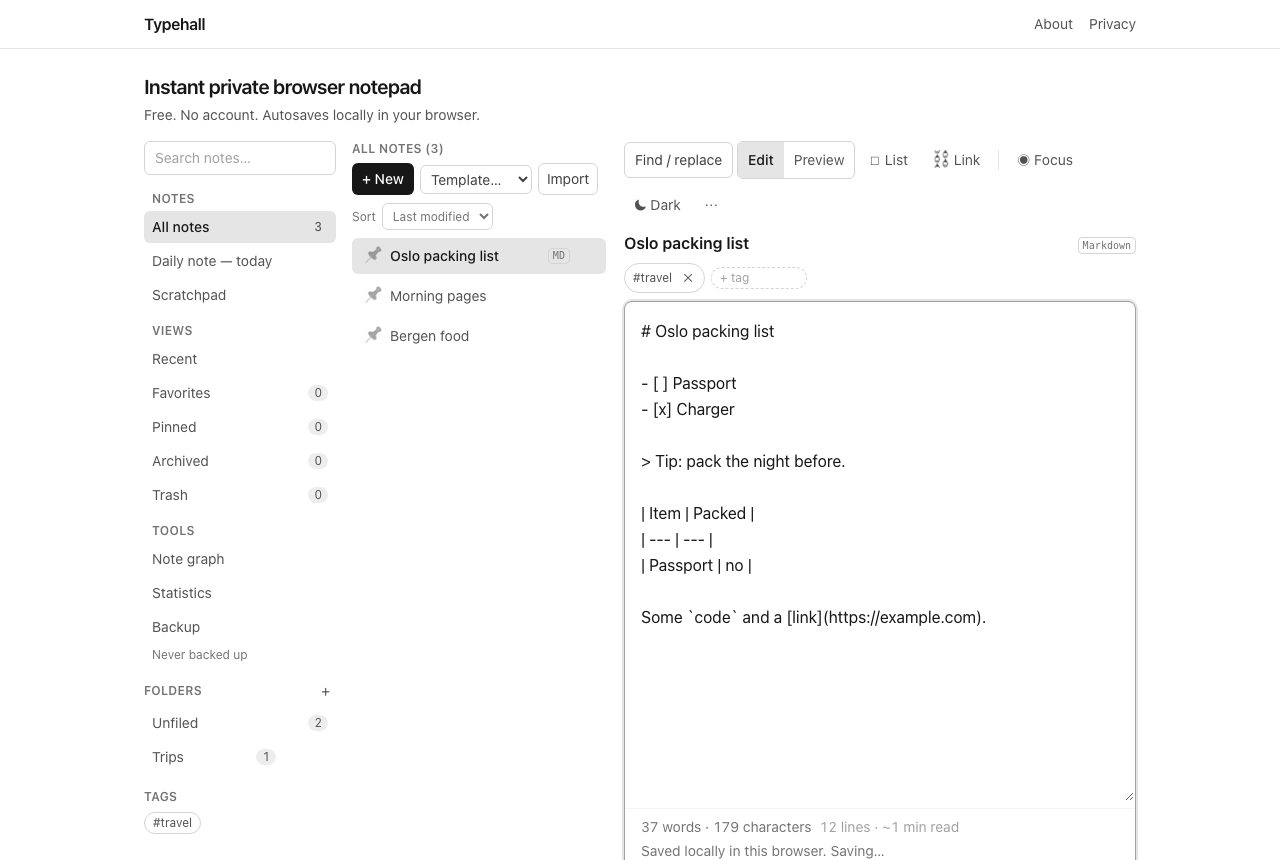
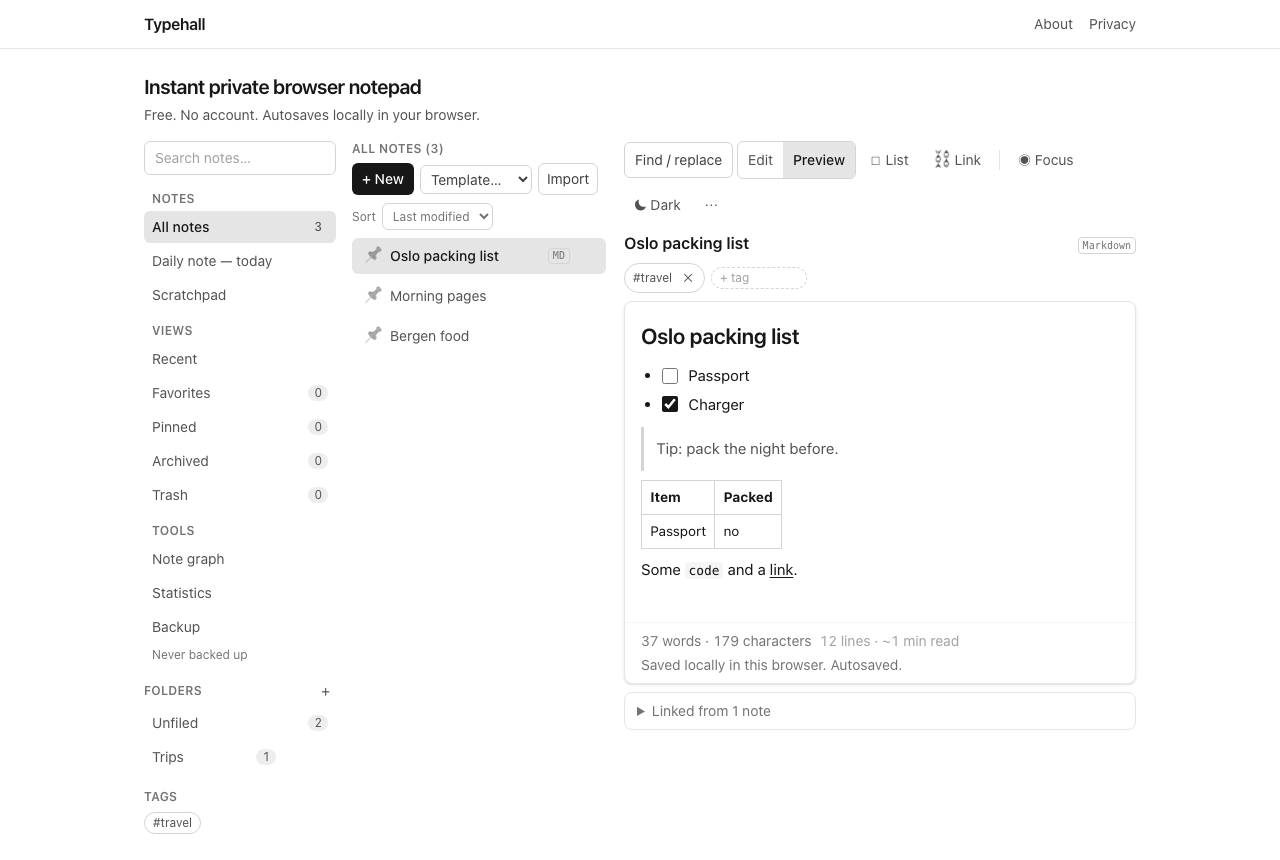
Any Typehall note can be a Markdown note. You keep editing plain text — headings, bold, lists, quotes, code, tables, task lists — and switch to Preview to see it rendered. Plain text remains the default; Markdown is there when you choose it. Convert a note from its Note actions menu; converting never touches your text, it only changes how Typehall renders it.
When Markdown earns its keep
Markdown pays off the moment a note needs structure a reader can scan: a meeting note with sections, a how-to with steps, a reading note with quotes, a comparison with a table. For a two-line reminder or a pasted tracking number, plain text is faster and there is no reason to convert. A good rule: if you would reach for bold or a bulleted list, Markdown is the right mode; if not, stay plain.
Edit and Preview
The editor toolbar switches a Markdown note between Edit and Preview. Edit is always the source of truth — every keystroke autosaves the plain text locally, exactly like any other note. Preview renders that text on demand and never executes anything: scripts, raw HTML, style blocks, frames, forms, and audio/video tags are stripped, event handler attributes are removed, and only plain http/https/mailto links survive (they open in a new tab with safe attributes).
What renders, concretely
- Headings, bold, italic, strikethrough, blockquotes, and horizontal rules.
- Bulleted and numbered lists, including nested lists.
- Task lists (
- [ ]) with checkboxes you can tick in Preview — and in the editor, the List button toggles them in place. - Fenced code blocks and inline
code, tables, links. - Single line breaks render as line breaks, so wrapped prose looks the way you typed it.
What never renders
- Remote images are stripped — previewing a note never loads external URLs, so a pasted
simply shows nothing rather than phoning home. - Raw HTML, scripts, styles, frames, forms, and media embeds are removed by the sanitizer.
- Only
http,https, andmailtolinks are kept.
This is deliberate: a preview that executed arbitrary markup would be a strange thing to put next to a privacy promise. If you need images or rich embeds, Markdown mode in Typehall is the wrong tool — plain notes with text are the honest answer, and the editor will not pretend otherwise.
Moving Markdown in and out
Import .md files directly (they open in Markdown mode, titled after the filename), export any Markdown note as .md, and include notes in full workspace backups. No conversion service is involved — it all happens in your browser. For sharing with people who do not use Markdown, export the same note as .html or print it to PDF; the export reuses the exact preview pipeline, so what you saw is what they get — see how to export Markdown notes.
Open the notepad and convert any note to Markdown from its Note actions menu.