Meeting notes that end in action
Agenda first, notes during, checkbox actions after. One note per meeting.
Most meeting notes fail the same way: a wall of undifferentiated text nobody revisits, and actions everyone remembers differently. The fix is structural, not effort — three buckets, filled in order. Typehall's meeting template gives you the buckets; this page shows how to use them.
The three-bucket method
Before the meeting, write the agenda: one line per topic, nothing more. During the meeting, take notes under each topic as short bullets — decisions, numbers, names, nothing verbatim. Within a day after, convert anything requiring action into a checkbox item with an owner's name next to it. Agenda, notes, actions: if a line doesn't belong in one of the three, it probably doesn't belong in the note.
A worked example
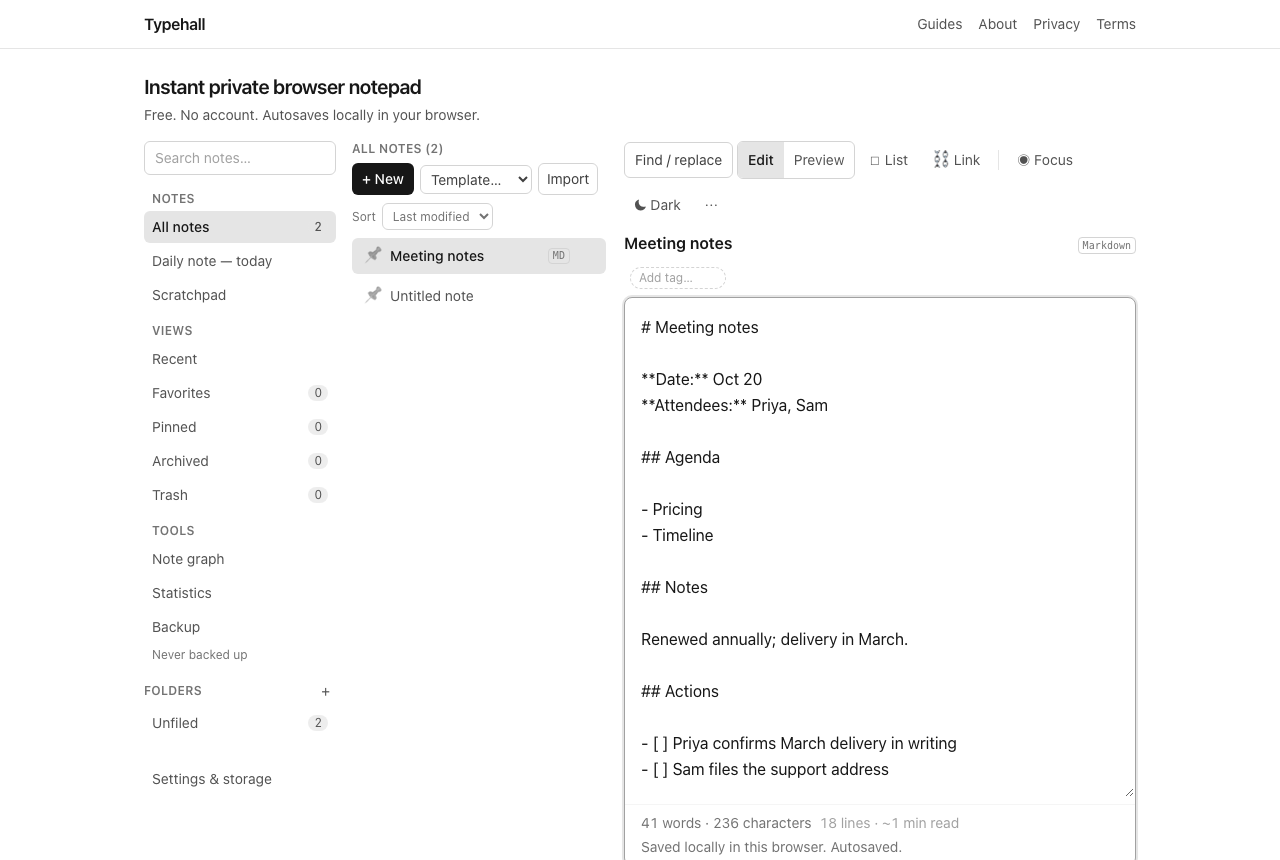
A thirty-minute vendor check-in might produce: agenda — pricing, timeline, support contact; notes — renewed annually, delivery in March, support via shared inbox; actions — - [ ] Priya confirms March delivery in writing and - [ ] Sam files the support address in [[Vendor contacts]]. Two actions, both named, both tickable. The rest of the discussion can fade — the note kept what mattered.
1:1s are meetings too
The same template serves one-on-ones: the agenda becomes "your topics / my topics", notes stay short, and actions get owners on both sides. Keep one note per 1:1 series and append dated sections, or file each session separately and link them — either way, tag with the person's name so the history is one search away.
After the meeting
Tick actions off in Preview as they complete. When the meeting produced a real decision, record it once in a decision log and link back — future you wants the reasoning, not the minutes. File the note in the project's folder, then archive it when the actions are done; archived notes stay searchable.
Open this template in Typehall
Open this template in Typehall — it creates a new Meeting notes note with the agenda, notes, and actions sections ready. Nothing is overwritten; your existing notes stay exactly as they are.
Open the notepad and take your next meeting's notes in the three buckets.